Strutture & Serramenti PRO 4 – in abbonamento
ABBONAMENTO TRIMESTRALE
Pacchetto completo per l’analisi di strutture edili e serramenti.
Comprende i seguenti software in versione stand-alone (non in rete):
MOLD PRO + FRAME SIMULATOR + FRAME COMPOSER
a partire da: €149,00 +iva ogni 3 mesi
Questo pacchetto consente di effettuare l’analisi termica di qualsiasi elemento edile, sia strutture murarie che serramenti, nel rispetto delle relative normative.
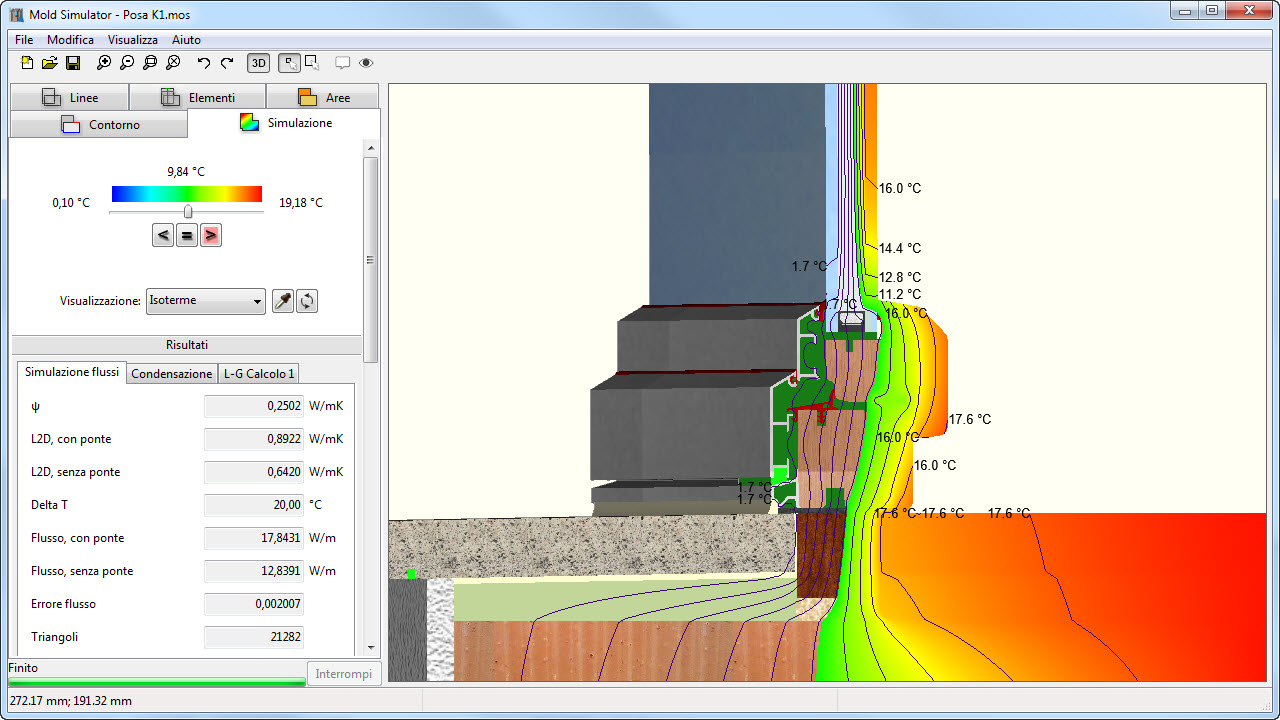
Analisi termica del giunto di posa serramento/parete
Il giunto di posa del serramento è anche una zona di confine tra due norme: la EN ISO 10077-2 per il serramento e la EN 10211 per la parte muraria. Le due norme prevedono metodi differenti per il calcolo delle cavità e per l’assegnazione delle resistenze superficiali. Inoltre, per un calcolo preciso della trasmittanza lineare Ψ del ponte termico tra serramento e struttura, è necessario conoscere l’effettiva trasmittanza Uf del telaio e Ug del vetro, riportati nella sezione da calcolare.
Disponendo di entrambi i programmi, le funzioni di calcolo del serramento sono disponibili anche all’interno di Mold Simulator. Quando si effettua l’analisi di un giunto murario con serramento sarà quindi possibile:
- calcolare le cavità della muratura e del controtelaio secondo norma ISO 6946 e quelle del telaio secondo la ISO 1077-2
- applicare la resistenza superficiale maggiorata sul contorno interno del serramento, come previsto dalla ISO 10077-2
- utilizzare la libreria e le funzioni di calcolo del vetrocamera per ottenere i valori precisi di Ug e della temperatura superficiale sul bordo vetro/telaio
Mold PRO
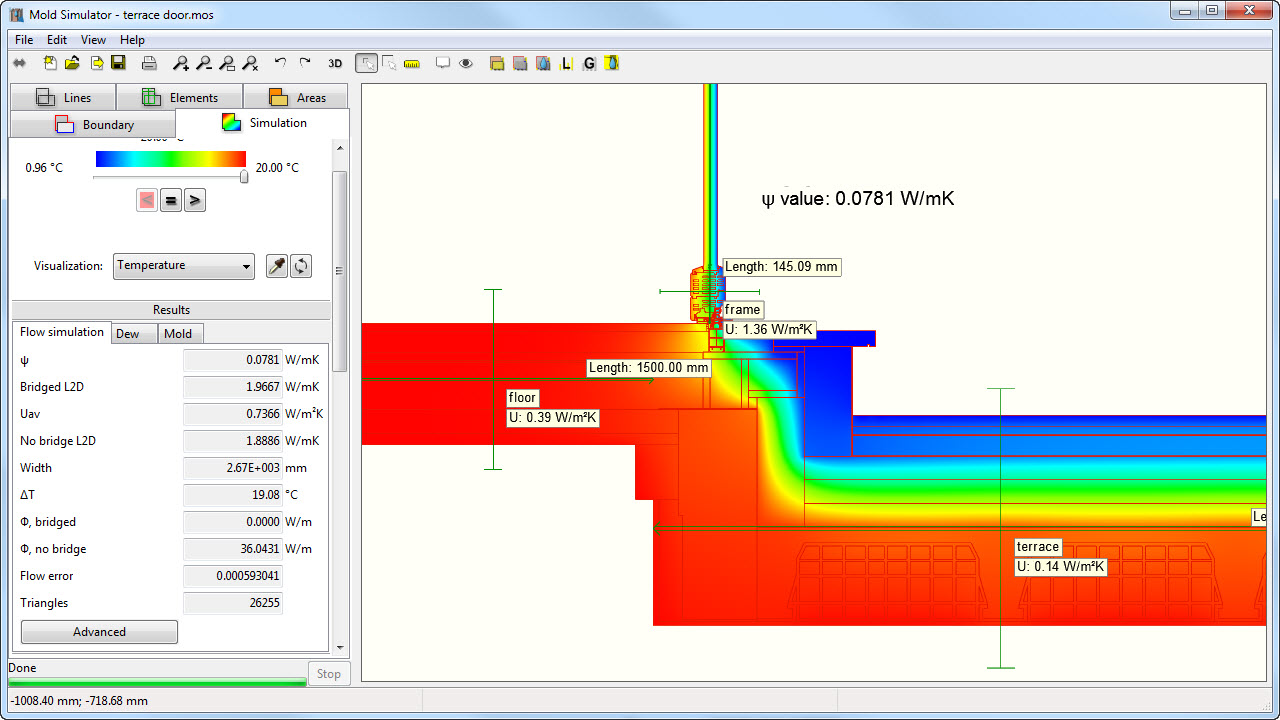
è un modellatore agli elementi finiti (fem) bidimensionale o tridimensionale, destinato al calcolo dei ponti termici e del rischio di condensa superficiale e interstiziale di pareti, solai, tetti e altre strutture edilizie.
Con Mold Simulator PRO è possibile effettuare l’analisi termica di stutture edilizie e calcolare il valore PSI dei ponti termici.
Oltre al calcolo dei flussi termici, il programma esegue in automatico altre due simulazioni con i parametri della ISO 13788: una per la verifica del rischio di condensa e una per la valutazione della formazione di muffa.
Con Mold Simulator PRO inoltre puoi fare l’analisi di Glaser in qualsiasi punto della struttura, visualizzare i disegni in 3D e personalizzare le viste dei risultati e le stampe dei report.
Il dettaglio di tutte le funzioni è disponibile qui .
Frame Simulator
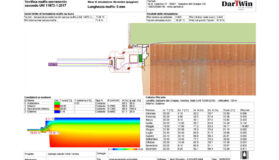
Frame Simulator è uno strumento professionale che consente di effettuare in poco tempo un’analisi termica completa di un serramento o di un modulo di facciata continua.
Il programma è molto facile da installare e può essere utilizzato anche se non si hanno grandi competenze informatiche o termiche. In Frame Simulator si possono importare disegni in formato DXF e bastano davvero pochi minuti per passare dal disegno al risultato finale. Il calcolo termico è veloce ed i risultati sono immediatamente interpretabili con immagini e grafici di grande efficacia e realismo.
Oltre ad ottenere il valore di trasmittanza Uf e della trasmittanza lineare PSI del distanziatore, con Frame Simulator è possibile vedere l’andamento del flusso di calore in ogni punto della sezione e individuare le zone più critiche dove intervenire.
Il programma segnala inoltre chiaramente la possibilità di condensa sulle superfici interne dell’infisso.
Con il modulo Frame Composer, fornito insieme al programma, si può calcolare la trasmittanza termica Uw di serramenti rettangolari completi (telai + vetrate), dalla semplice finestra monoanta fino a combinazioni complesse con molte ante, con tendaggi interni e avvolgibili o imposte esterne. E’ possibile inoltre valutare il contributo di resistenza termica dato dagli oscuranti.
VERSIONE
LOCALE per installazione su computer non in rete
Sono compresi nel pacchetto tre moduli di calcolo:
[unordered_list style=”tick”]
- Mold PRO 3 (2D o 3D) per il calcolo dei ponti termici e la verifica del rischio di condensazione e muffe
- Frame Simulator 3 per l’analisi agli elementi finiti della sezione del serramento e per il calcolo della trasmittanza termica Uf del telaio di serramenti
- Frame Composer 3 per il calcolo della trasmittanza Uw dell’intero serramento, dell’Ug dei vetri e della resistenza aggiuntiva degli oscuranti
[/unordered_list]
VALIDAZIONE
Mold Simulator è validato secondo la norma UNI EN ISO 10211:2008 (ponti termici in edilizia – calcolo dettagliato).
Frame Simulator è validato secondo la nuova norma UNI EN ISO 10077-2:2012 (calcolo della trasmittanza termica – metodo numerico per telai).
Description
Quarterly subscription
Activation with software key for single computer or on a USB stick sold separately.
The program resides and runs entirely on your computer. An internet connection is required to operate it, as the program checks every now online that activation is valid. Internet bandwidth is not an issue, because the data exchanged with our servers are only few bytes required for the verification of the presence of the activation key.
Amounts
Subscription fee: depending on the software, to be charged every three months from subscription activation.
Amount for initial activation or reactivation of an expired subscription: € 21
Payment
Credit card / Paypal (automatic payment)
By Bank transfer (manual payment)
Terms
Advanced payment for each quarter.
The subscription is automatically renewed at the end of each quarter for the following quarter, unless canceled by the user before the deadline.
The subscription is deemed to expire automatically in the event of late payment renewal of more than 10 days.
Redemption
The user can decide at any time to purchase the program. In this case the license fee paid will be deducted.
The cost will be the difference between the list price plus 5% and the total amount paid for the subscription rates.
The costs of activation/reactivation and amounts paid for assistance or other service fees will not be deducted.
Example of redemption after 9 months of Mold PRO subscription:
3 quarterly subscriptions paid: 3 X €99 = €297
increase 5% = €39.5
cost of redemption of Mold PRO 3 license after 9 months subscritpion: €790 + €39.5 – €297 = €532
Excluded Amounts
Following amounts will not be considered in case of redemption:
– Amounts paid for previous expired subscriptions (non-consecutive quarters).
– Activation/reactivation fees
– Amounts paid for plugins, support, or other reasons.
How to order
Choose from the options shown above and click on “Add to cart”. If you have chosen the activation with a new USB key return to catalog and add a USB key to your order.
Proceed to checkout and fill in all the fields for billing purposes. If you are not already registered, please enter your user name and password. Login is required to download the installation files.
How to pay
You can choose to pay by anticipated bank transfer or by credit card/Paypal.
If you pay by Bank transfer
After you have entered your order you will receive an email confirmation with the details for the transfer. Software activation and shipment of the USB dongle is possible only after we have recorded your payment. If you want to speed up the process, please send us a copy of your payment order by mail.
If you pay by Credit Card / Paypal
To guarantee the highest security level, payment by Credit Card is entirely processed within Paypal. We do not know and therefore do not control in any way your credit card data.
In case of successful payment you will immediately receive confirmation of Order Completed and you can immediately proceed downloading the installation files. If you do not receive our confirmation, it means that the payment did not go through or your credit card was not accepted. Please try again, maybe with another card and if necessary contact us to see if we received the payment confirmation from PayPal (normally this ahppens immediately).
How to obtain your software
The software is delivered by download from this site. There is no provision on physical media. When payment is completed you will receive an email with the link to download the installation file.
If at the time of the order you were already registered as visitor on our website, please wait that your account is authorized for the download (from a few minutes to a few hours).
If you wish, you can also download the installation software from download page after login.
How to activate the program
You can choose between two modes of activation: with software key or with optional USB dongle.
If you choose to activate with software key
After installing and starting the program you will see a code of 8 characters: send it to us via email to get the activation code. We will send you an activation key as soon as we receive confirmation of payment.
If you choose to activate with USB dongle
You will receive the USB dongle by express courier: we will ship it as soon as we receive confirmation of your payment.
How to use the program
You will find operating instructions, tutorials and documentation within the program in the help menu.
If you ordered online assistance, please send us your request with some alternative dates and times. We will try to schedule the instruction in one of the dates that you require. We will contact you to give you confirmation and send you the link information.
Operating system
You are free to choose the version to install in your computer, Windows or Mac OSX. Please check available versions in software description.
Language
Program and documentation are available in English and Italian. The choice of language is selectable within the program.
Prodotti correlati
-

-
In offerta!
Passa al pacchetto Strutture&Serramenti
-
In offerta!