Building & Frames DYNAMIC subscription
SUBSCRIPTION LICENSE with possibility of redemption
Comprehensive package for the analysis of building structures and windows and doors.
Includes the following software:
MOLD DYNAMIC (2D or 3D) + FRAME SIMULATOR + FRAME COMPOSER
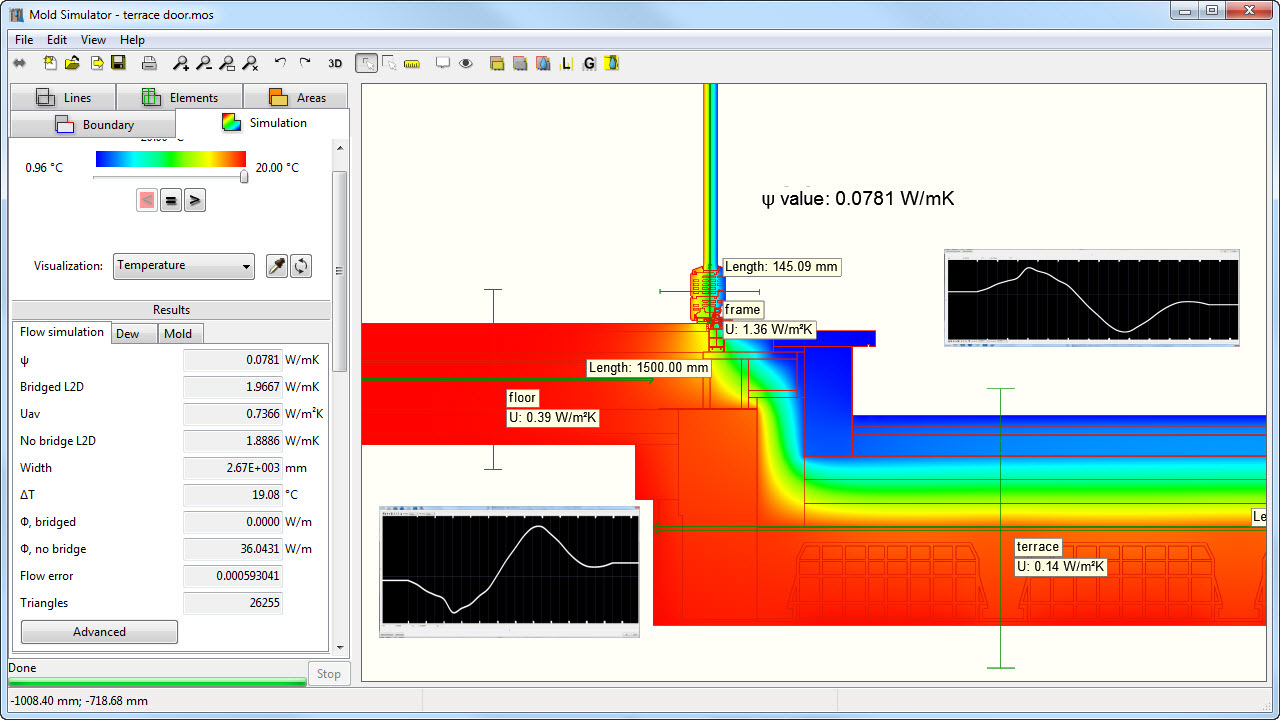
2D or 3D finite element software for Thermal Bridge calculation in transient or steady state (ISO 10211 validated) and condensation/mold risk assessment according to UNI EN ISO 13788 and EN ISO 13786
Mold DYNAMIC includes the BRIDGE GENERATOR parametric thermal bridge generator which allows the creation of thermal bridges and connection with the EC700 Edilclima software.
An active Internet connection is required for subscription versions.
Read the subscription and redemption terms in the tab below.
From: €390,00 +vat every 6 months
This package enables the thermal analysis of any building element, both masonry structures and windows and doors, in compliance with relevant regulations.
Thermal analysis of the window/wall installation joint
The window frame joint is also a border zone between two standards: EN ISO 10077-2 for the window frame and EN 10211 for the building part. The two standards provide different methods for calculating cavities and assigning surface resistances. In addition, for an accurate calculation of the linear transmittance Ψ of the thermal bridge between the window frame and the structure, it is necessary to know the actual transmittance Uf of the frame and Ug of the glass, given in the section to be calculated.
Having both programs, the window frame calculation functions are also available within Mold Simulator. When performing the analysis of a masonry joint with a window frame, it will therefore be possible:
- Calculate masonry and subframe cavities according to ISO 6946 and frame cavities according to ISO 1077-2
- Apply the increased surface resistance on the inner contour of the window frame, as required by ISO 10077-2
- Use the insulating glass library and calculation functions to obtain accurate Ug and surface temperature values at the glass/frame edge
MOLD SIMULATOR DYNAMIC
Thermal Bridge and Condensation Analysis in Variable Temperatures
is a two-dimensional or three-dimensional finite element (FEA) modeler for dynamic and steady-state thermal calculations of building structures, thermal bridges, and for analyzing the risk of surface and interstitial condensation in variable temperature conditions of walls, floors, roofs, and other building structures.
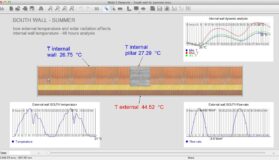
old DYNAMIC allows you to perform simulations with time-varying input parameters. You can assign time-dependent curves of temperature, humidity, and thermal flow to the structure’s boundaries (for example, solar radiation on a wall or thermal flow in a radiant system). The curves can be created using the program’s tools or imported from tabular data, such as climate data files.
Mold DYNAMIC performs a series of finite element analyses of the structure using successive points on the boundary condition curves and taking into account the results of the previous simulation. In this way, the actual trend of heat flow and temperature over time is simulated at every point of the structure. It is therefore possible to see, for example, the trend over time of the sections of the structure subject to mold or surface condensation as the temperature, humidity, and solar radiation on the walls vary. Or you can evaluate the temperature trend on the surface of a wall or radiant floor during operation and during the system’s on and off cycles. Or perform the Glaser dynamic analysis instant by instant and calculate the volume of the condensate and the flash evaporated in any period of time.
Mold DYNAMIC also automatically performs additional finite element analyses with periodic input data to calculate all the dynamic characteristics of the complete structure according to the standard UNI EN ISO 13786, such as: Z heat transfer matrix, phase shift, attenuation, areal heat capacity, admittances, dynamic thermal transmittance, etc., necessary for summer calculation. It is important to emphasize that these values are measured on the actual structure under examination, including complex building components with thermal bridges, not just for homogeneous layer packages as is usually the case.
But that’s not all! With Mold DYNAMIC, you can also define the conductivity behavior of a material as the temperature changes or the temperature trend along a boundary.
VALIDATION
Mold Simulator was developed according to the following standards:
- EN ISO 6946 “Building components and elements – Thermal resistance and thermal transmittance – Calculation method”
- EN ISO 10211 “Thermal bridges in buildings – Thermal fluxes and surface temperatures – detailed calculations.”
- EN ISO 13788 “Hygrothermal performance of building components and elements. Internal surface temperature to avoid critical surface moisture and interstitial condensation.”
- EN ISO 13786 “Thermal performance of building components – Dynamic thermal characteristics – Methods of calculation.”
Frame Simulator
Frame Simulator is a professional tool that enables a complete thermal analysis of a window frame or curtain wall module in a short time.
The program is very easy to install and can be used even if you do not have great computer or thermal skills. Drawings in DXF format can be imported into Frame Simulator, and it really only takes a few minutes to go from drawing to final result. The thermal calculation is fast and the results are immediately interpretable with very effective and realistic images and graphs.
In addition to obtaining the Uf transmittance value and PSI linear transmittance value of the spacer, with Frame Simulator it is possible to see the trend of heat flow at each point of the section and identify the most critical areas where to intervene.
The program also clearly indicates the possibility of condensation on the internal surfaces of the frame.
With the Frame Composer module, supplied with the program, you can calculate the Uw thermal transmittance of complete rectangular window frames (frames + glazing), from the simple single-sash window to complex combinations with many sashes, with internal blinds and shutters or external shutters. It is also possible to assess the thermal resistance contribution made by shutters.
VERSION
Three calculation modules are included in the package:
- Mold DYNAMIC (2D or 3D) for thermal bridge calculation and condensation and mold risk assessment
- Frame Simulator for finite element analysis of window frame section and calculation of Uf thermal transmittance of window frame
- Frame Composer for calculating the Uw transmittance of the entire window frame, Ucw of curtain walls, Ug of glazing, and the additional resistance of shutters
VALIDATION
Mold Simulator is validated according to UNI EN ISO 10211:2018 (thermal bridges in buildings – detailed calculation).
Frame Simulator is validated according to the new standard UNI EN ISO 10077-2:2018 (calculation of thermal transmittance – numerical method for frames).
HOW TO ACTIVATE THE DARTWIN SOFTWARE
When purchasing the software, you can choose between three different activation methods: with Software Key or with USB Key or with Web License.
To use the program simultaneously on multiple computers you need multiple licenses or multiple subscriptions.
Activation with SOFTWARE KEY
Standard activation method, included in the program price.
The program is activated by an alphanumeric activation key, valid for the computer on which it was initially installed.
The activation key is generated and sent within a few hours of payment, based on a code (Computer code) shown during installation, which the user must send us.
Once the license has been activated on a computer, it is always possible to transport it to another machine: by means of a procedure via the internet, it is possible to deactivate the license on the current computer and activate it on another computer.
For a possible reinstallation of the software on the same hardware, the initial procedure is repeated, by entering the same software activation key.
If, on the other hand, the hard disk has been reformatted or all or part of the hardware has been changed, we will provide a spare installation key upon request (this can only be done once).
Activation with USB HARDWARE KEY
Optional activation method – to be purchased separately.
If you choose this mode, the user will receive by registered mail or courier a USB key with all the licenses purchased (one of each type).
Activation instructions will be provided with a separate email, in order to use the programs on any computer (not simultaneously) simply by moving the key from one computer to another.
Activation with WEB LICENSE
Flexible access for smart working with an annual subscription.
Web License allows you to access your licenses anywhere and at any time by entering only your username and password.
This simplified access mode is particularly suitable for work teams that need to share the use of programs remotely.
Any member of the group can start the software by simply entering the username and password provided.
It is also possible to use the software simultaneously based on the number of simultaneities purchased. To use Web License you must already have a license in version 5 or higher.
Terms of subscription and redemption
Description
The program resides and runs entirely on your computer. Subscription licenses require an active internet connection while the program is in use.
Amounts
The subscription fee depends on the software and on the subscription duration.
A one-time €28 fee is required for the initial activation and for any reactivation of an expired subscription.
Payments
By credit card, PayPal or bank transfer.
Subscription updates
Updates and upgrades to new versions, for the same type of program, are included in the fee for the whole validity period of the subscription.
General terms
The subscription fee is charged automatically at the beginning of each period (automatic renewal with advance payment). If you do not wish to continue the subscription, you can cancel it at any time before the automatic renewal. Once renewed, the amount cannot be refunded. Once cancelled, the program can be used until the end of the paid period.
The subscription ends automatically in case of non-payment or if the renewal is paid more than 5 days late.
Perpetual license buyout
While the subscription is valid, that is until the end of the period already paid, you can buy the perpetual license of the same program, in the same edition, deducting the payments you have already made.
The following amounts, if actually paid, are deducted from the net list price of the perpetual license:
- 90% of each consecutive payment of the current subscription; if the payments include the Web License, only the share relating to the software license is deducted;
- the €28 initial activation fee.
The updates received after the first 12 months of subscription are added, pro rata by month, at the annual price of the Updates&Upgrades subscription. If the result is negative, the buyout is free.
Any interruption in payments cancels the subscription and earlier payments can no longer be deducted.
The buyout price is calculated automatically on the payments you made: you will find it on the Subscription buyout – perpetual license page or in My account > Subscriptions, with the “Buy out the perpetual license” button.
Perpetual license updates after a subscription buyout
If the buyout takes place within the first 12 months of subscription, updates are included until 12 months from the subscription start date.
If it takes place later, the Updates&Upgrades subscription for a further 12 months is offered together with the buyout. It starts at the end of the period already paid and, unless cancelled, renews every year.
Amounts not deductible
- activation costs other than the initial fee (for example Web License, USB dongle);
- payments for previous, expired or cancelled subscriptions (non-consecutive periods);
- reactivations or new activations after the first one;
- updates and upgrades, plugins, support or other services;
- discounts or promotions, unless specifically agreed with Dartwin.
In any case the amount deducted cannot exceed the price of the perpetual license.
From cart to use
How to order
Choose the program options at the top of the page and click “Add to cart”. If you want activation on a new USB dongle, go back to the catalog and add a USB dongle to your order.
Proceed to checkout and fill in all the billing fields. If you are not registered yet, choose a username and password: with your account you will be able to manage orders and subscriptions.
How to pay
You can pay by credit card, PayPal or advance bank transfer.
- Credit card or PayPal: payment is handled entirely by the payment provider and Dartwin never sees or stores your card details. If the payment succeeds you immediately receive the order confirmation. If you do not receive it, the payment did not go through: try again, possibly with another card, or contact us.
- Bank transfer: after placing the order you receive an email with the bank details. The program is activated and the USB dongle shipped once the payment is recorded; to speed things up you can send us the transfer receipt.
How to get the program
The program is delivered by download, there is no physical media. After payment you receive the activation email with the link to your User Panel, where you can download the installation files.
How to activate the program
There are three activation methods (see also the Activation tab):
- Software key: after installing and starting the program you will see an 8-character code; email it to us and we will send you the activation key as soon as the payment is recorded.
- USB dongle: you receive it by express courier, shipped as soon as the payment is recorded; to activate it you need the PIN code we provide.
- Web License: you start the program from any computer by entering your username and password.
How to use the program
Instructions, tutorials and documentation are in the program’s Help menu.
If you purchased online support, write to us proposing a few dates and times: we will confirm the session and send you the link to join it on Microsoft Teams.
Operating system
The programs and plugins are available for Windows and Mac.
Language
The program and its documentation are available in English, Italian, French, German and Spanish; the language is selected within the program.